
Google Flights provides tools to exclude Basic Economy fares through the cabin dropdown menu or baggage filters. By selecting these options or adding a carry-on bag, travelers can view standard prices that include overhead bin access. This ensures more accurate upfront pricing for flights that include essential travel amenities.
Filtering helps travelers avoid hidden fees and restrictions common with basic tickets, such as prohibited refunds and random seat assignments. While basic fares may suit solo travelers with minimal luggage, standard economy provides better value for those needing flexible travel options, group seating, and standard boarding privileges.
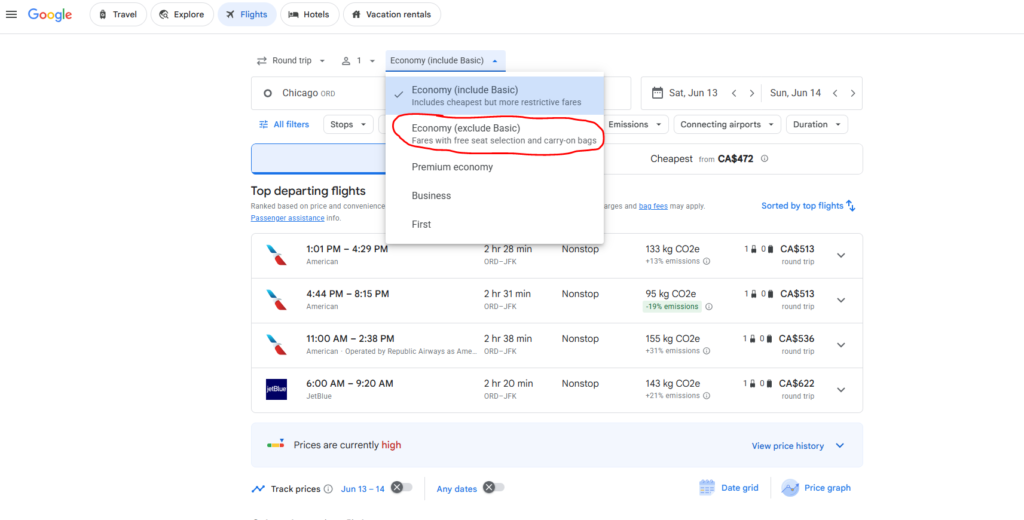
To filter out Basic Economy on Google Flights, simply select the cabin dropdown menu (labeled “Economy”) located just above your search results and toggle it to “Exclude basic economy.” Alternatively, you can click the “Bags” filter and add 1 carry-on bag to instantly remove any fares that do not allow you to use the overhead bins.
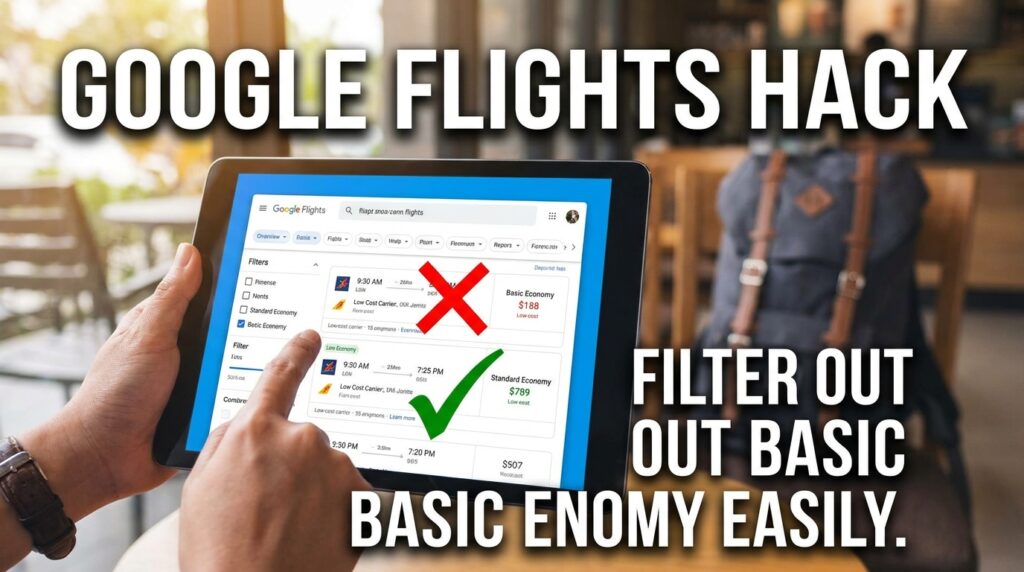
We all love finding a great flight deal. But clicking on a $99 round-trip ticket only to discover you cannot pick your seat, cannot get a refund, and cannot even bring a standard carry-on bag is incredibly frustrating. Basic economy fares are essentially bait-and-switch pricing tactics designed to get you to click. We see travelers get hit with $60 gate-check fees every single day because they did not realize what kind of restricted ticket they purchased.
This guide breaks down exactly how to bypass these restricted tickets so you only see the flights you actually want to book.
What is the Easiest Way to Exclude Basic Economy Fares?
The fastest method to remove these restrictive fares takes less than five seconds. Google flights recently updated its interface to give users a direct toggle right on the main screen.
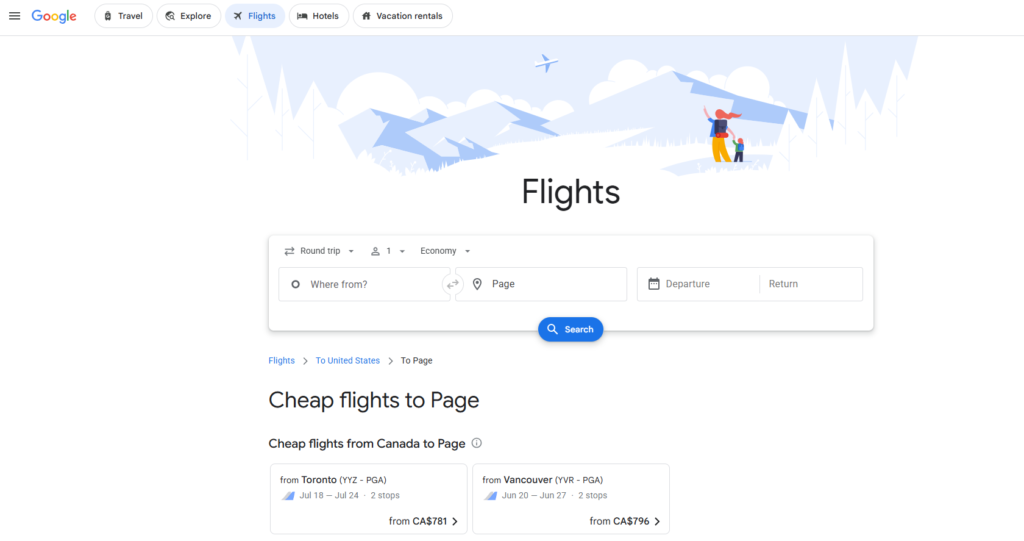
- Start Your Search: Type in your origin airport, destination, and travel dates, then hit search.
- Find the Cabin Selector: Look right below the top search bar. You will see a dropdown menu that usually defaults to “Economy (includes basic).”
- Flick the Toggle: Click that dropdown and select the option to exclude basic fares. The page will immediately refresh and display only standard Main Cabin tickets.
Experience Tip: We recently booked a domestic flight from Chicago to Denver. The initial search showed a $120 Spirit Airlines flight and a $130 United Airlines flight. By using this toggle, the United flight price jumped to $170 because that initial $130 fare was Basic Economy. Seeing the true, final price upfront saved us the headache of doing math on the checkout screens.
Also read – How to Set Price Alerts on Google Hotels to Find Cheap Deals
Why Should You Avoid Booking Basic Economy Tickets?
You should avoid basic economy because the hidden fees often make the flight more expensive than a standard ticket in the end. Upgrading your seat or paying for a bag at the airport always costs significantly more than buying a regular fare online.
Here is a clear breakdown of what you actually lose when you book the cheapest tier:
| Feature | Basic Economy Ticket | Standard Economy Ticket |
| Carry-on Bag | Often banned (personal item only) | Included free |
| Seat Selection | Randomly assigned at check-in | Choose your seat at booking |
| Changes & Refunds | Strictly prohibited | Allowed (often with zero fee) |
| Boarding Group | Last group to board | Standard boarding time |
| Upgrades | Not eligible | Fully eligible |
Which Airlines Punish Basic Economy Flyers the Most?
Not all airlines treat basic tickets the same way. You need to know which carriers strip away the most features so you do not get caught off guard at the boarding gate.
- United Airlines & JetBlue: These carriers have the strictest rules. Their basic economy tickets do not include a carry-on bag. If you bring a roller bag to the gate, they will force you to check it and charge you a hefty penalty fee on the spot.
- Delta Air Lines & American Airlines: These airlines are slightly more forgiving. They still allow you to bring a standard carry-on bag and a personal item. However, Delta completely blocks you from earning frequent flyer miles or accessing their Sky Clubs when flying on a basic ticket.
How Does the “Baggage Filter” Trick Work?
If the cabin toggle is not showing up for your specific route, we use the baggage filter trick to force Google Flights to hide the worst tickets.
- Click the “Bags” button at the top of your search results.
- Increase the Carry-on bag count to 1.
- This action automatically removes any fare from the screen that charges extra for overhead bin space.
This is a foolproof way to wipe out restrictive fares from United, JetBlue, and ultra-low-cost carriers like Spirit or Frontier in a single click. It is especially helpful for international flights where European budget airlines will completely dominate the search results with rock-bottom prices. By adjusting the baggage filter, you instantly see the realistic price you will pay once your luggage is accounted for.
Also read – 7 Ways to Find Cheap Last-Minute Hotel Deals Near FIFA Venues
When Is It Actually Smart to Book Basic Economy?
You should only book basic economy if you are traveling for a quick weekend, packing nothing but a small backpack, and do not care where you sit.
If you are flying solo for a quick 48-hour trip, saving $40 might be worth the trade-off. But if we are traveling as a family, we never book basic. Airlines will deliberately split up groups who do not pay for seat selection, meaning your six-year-old could end up sitting five rows away from you. Always pay for the standard ticket when traveling with children to ensure you sit together.
What Other Google Flights Filters Should You Use?
To get the absolute best flight experience, combining filters gives you incredible control over your itinerary. We highly recommend using these three options alongside the basic economy toggle:
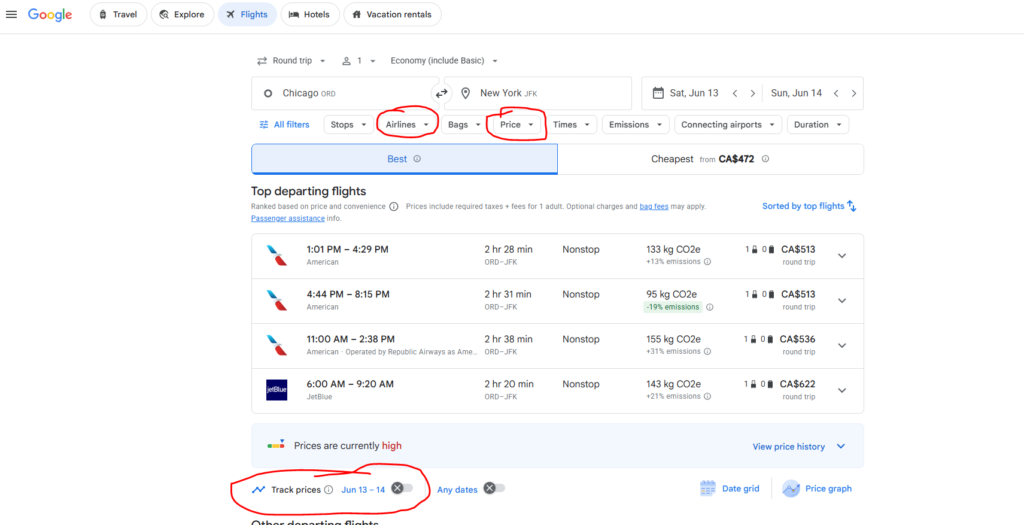
- The Airline Filter: Uncheck ultra-low-cost carriers entirely if you want a traditional flying experience with standard legroom.
- The Stops Filter: Set it to “Nonstop only” to avoid the 12-hour layovers that budget pricing algorithms love to suggest.
- The Price Graph: Once you filter out basic economy, click the Price Graph tool. It shows exactly which days are cheapest to fly for your specific ticket class. Sometimes, leaving just one day earlier drops the price by over $100.

